
Migrating Your Data
Note: Because Beydex stores your data locally on your device for privacy, your data
will not automatically sync between devices or survive an app uninstall. You must manually export and
import your data to transfer it.
If you are getting a new phone, reinstalling the app, switching browsers,or want to use Beydex on another device, you can easily migrate your collection, decks, and settings.
How to Export (Backup) Your Data
- Open Beydex on the device/browser that currently has your data.
- Navigate to the More page
-
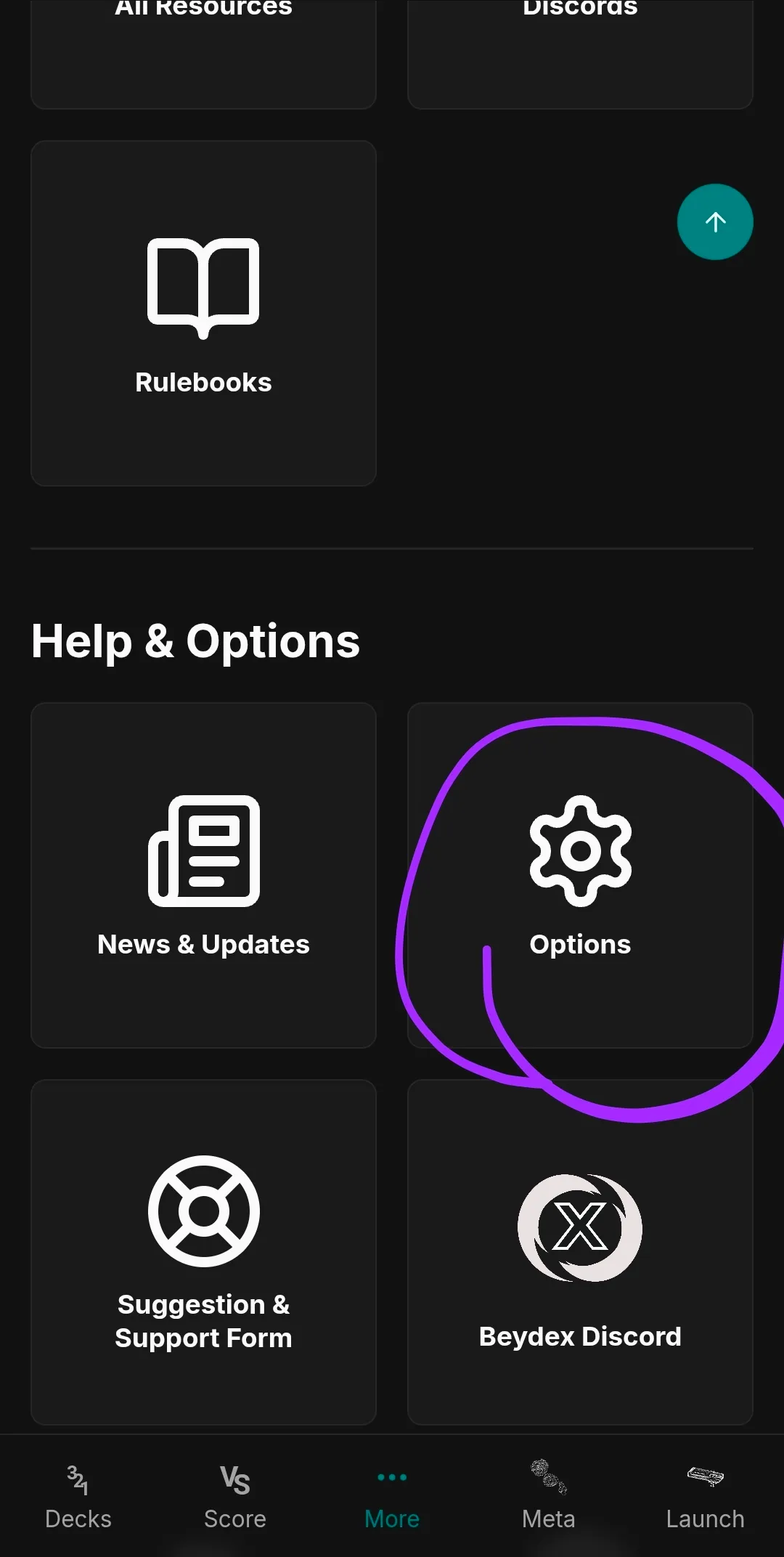
Scroll down and click the Settings Button.
-
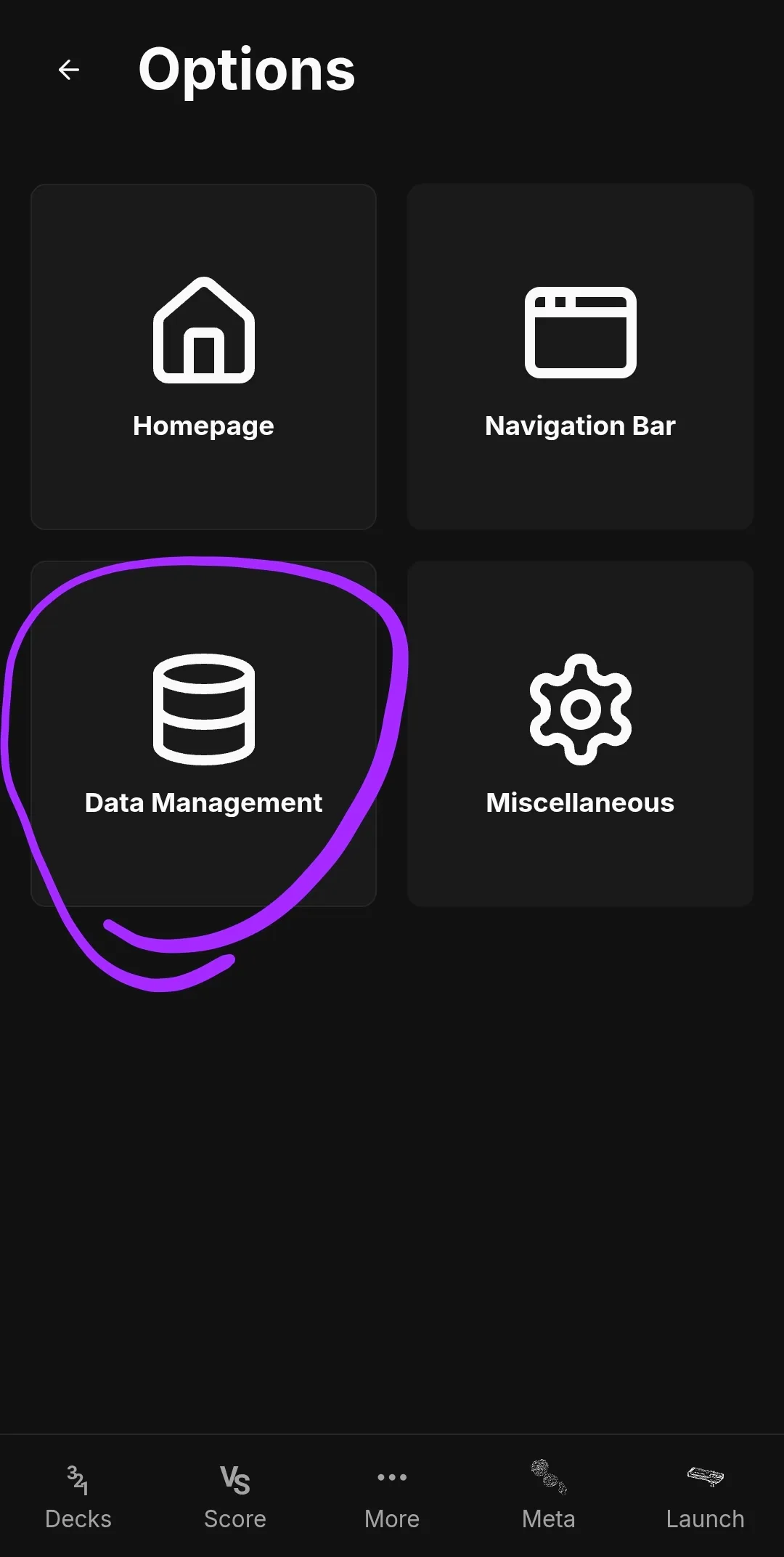
Click the Data Management Button.
-
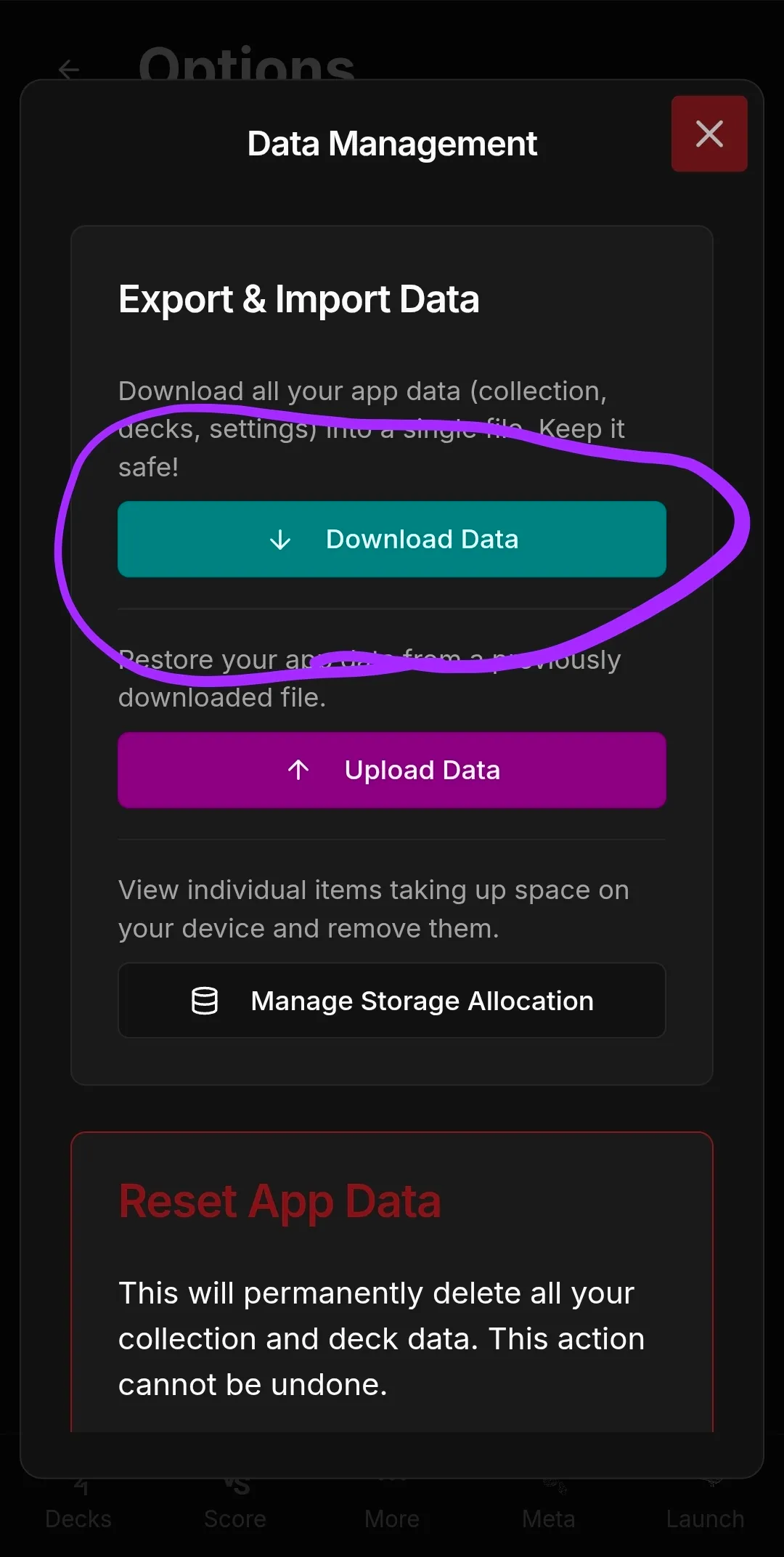
Tap Download Data. This will generate a backup file containing your collection,
decks, and custom lists.
- Save this file to a safe location (like Google Drive, email it to yourself, or use your device's file manager to transfer it).
How to Import (Restore) Your Data
- Install Beydex on your new device (or after reinstalling).
- Ensure you have the backup file accessible on your new device.
- Navigate to the More page
-
Scroll down and click the Settings Button.
-
Click the Data Management Button.
-
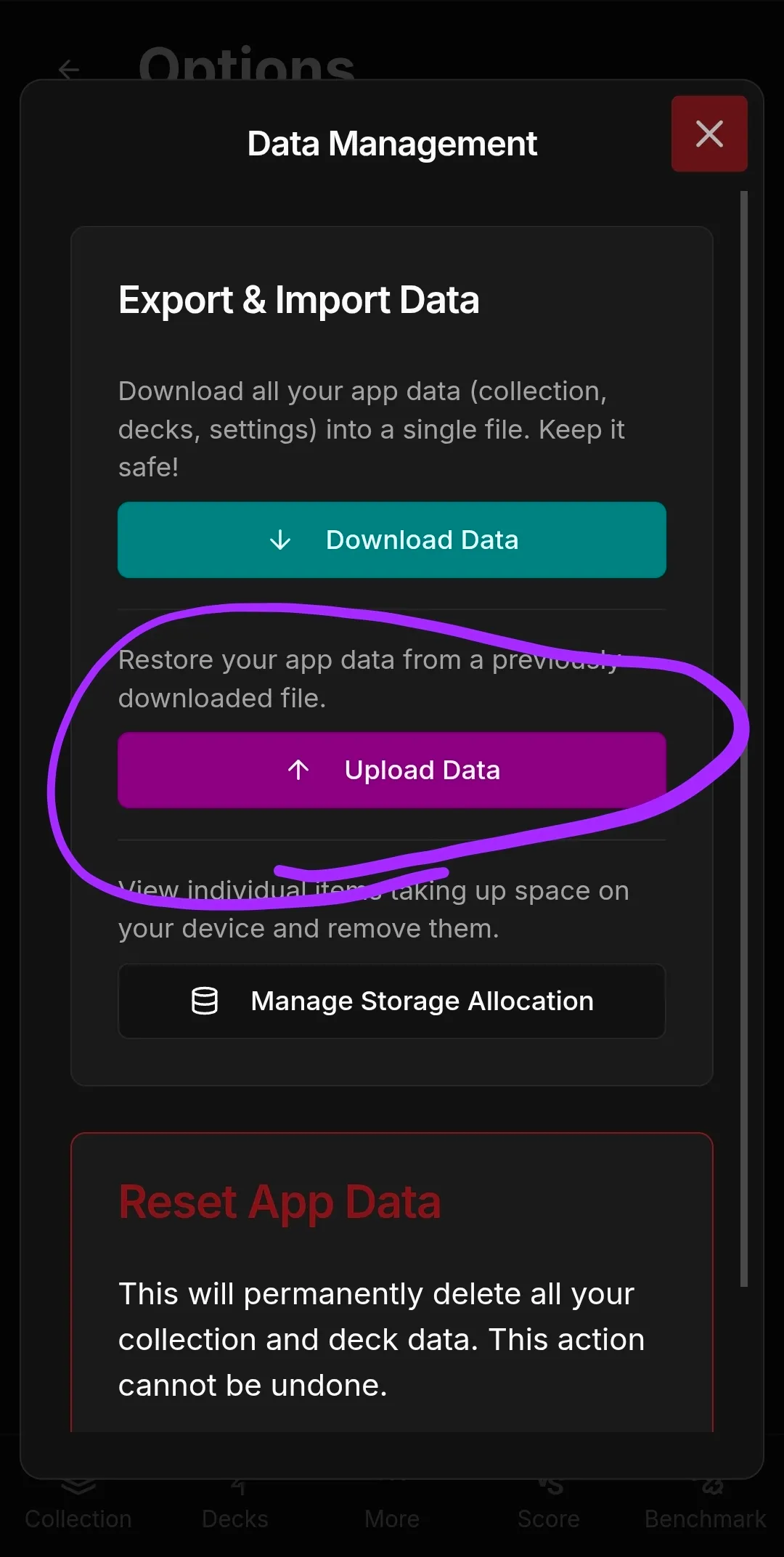
Tap Upload Data.
- Select the backup file you created previously.
-
Click "Restore Data"
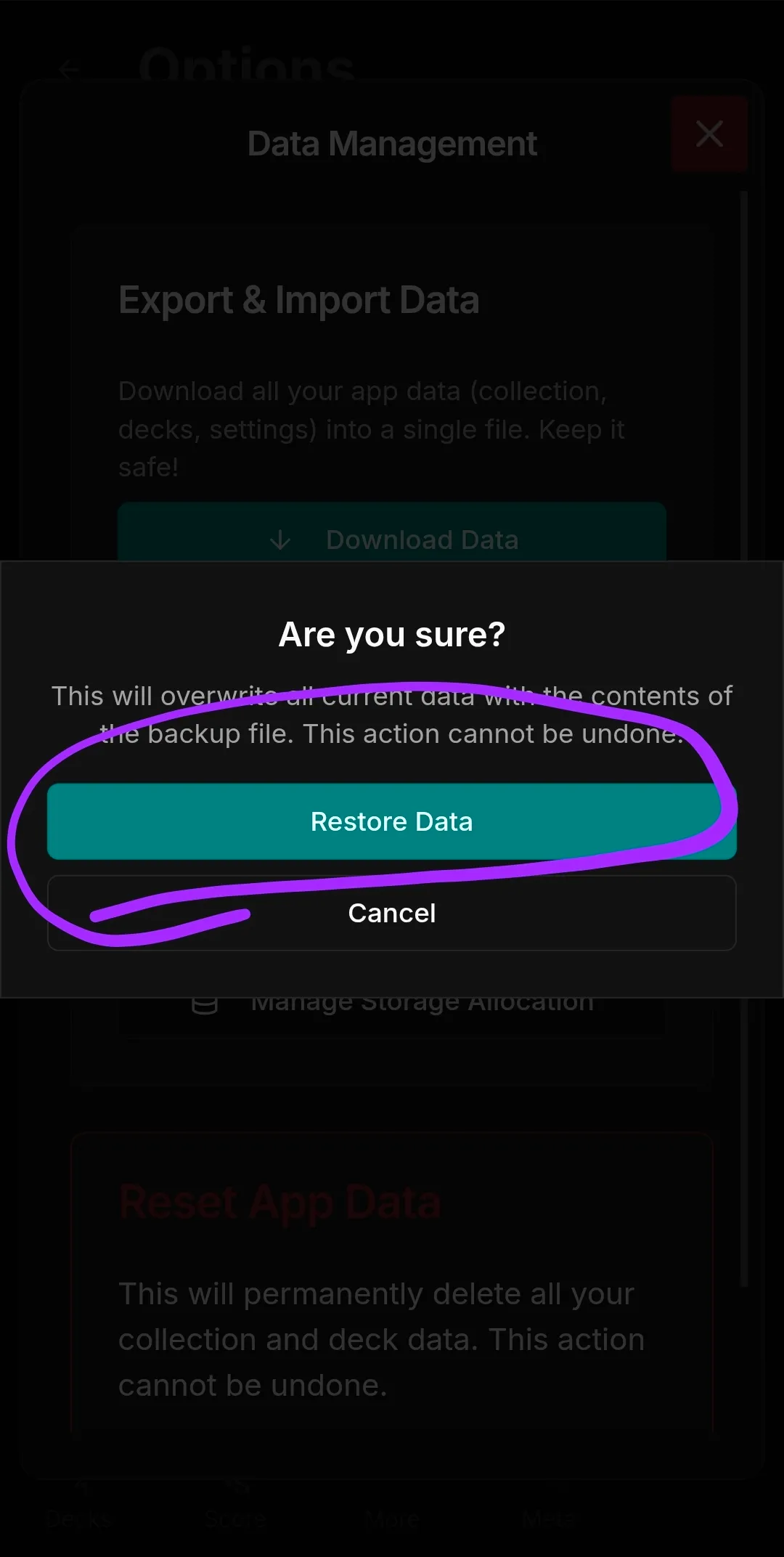
- All your data from the app will be restored!
If you experience any issues migrating your data, please reach out to our community on Discord or use the Suggestion and Support form for assistance.